Lead List Building: The 2026 Guide to CRM-Ready Data
Master lead list building with a proven workflow for sourcing, enriching, and verifying contacts at scale. Get CRM-ready lists without high bounce rates.
Most advice on lead list building still treats it like a volume game. Scrape more names, enrich more fields, send more email, and somehow the pipeline will improve. That logic breaks in production because freshness, validity, and consent provenance matter more than raw count, especially when 90.7% of marketers use their websites to generate leads and sales and 80% of new leads never turn into sales (email generation and lead statistics).
A big list with weak hygiene usually burns sender reputation before it creates meetings. A smaller list that's independently verified, continuously refreshed, and traceable back to lawful collection points can outperform a bloated export that looked good on day one and fell apart by week three. That's the part many teams miss, and it's why a practical lead list building process starts with controls, not optimism.
Why Most Lead Lists Fail Before the First Email
Lead lists usually fail before a single email leaves the queue. The records look usable in a spreadsheet, then break in production because they were never checked for freshness, reachability, or lawful collection. Stale contacts, catch-alls, and mismatched titles push bounces past healthy levels fast, and mailbox providers react to that pattern.
Hard bounce rate still deserves the closest watch. A practical quality review from verification checklist is useful here, because it forces you to test whether the list is deliverable before you scale volume. A large export that has not been sampled and verified is usually a bad trade, even if the field coverage looks complete.
Practical rule: do not trust a provider dashboard until you have verified a sample yourself and watched it reach a real inbox.
The usual failure mode is familiar. A team exports contacts, enriches them once, and treats that file like it stays valid until launch. In practice, job moves, domain changes, catch-all behavior, and duplicate rows keep degrading the list in the background, so the sender score absorbs the damage while the spreadsheet still looks clean.
A better workflow starts with a small validation sample, then a short test sequence before any scale-up. That also changes the economics, because lead generation spend only works when the records hold up after export, not just at acquisition time. Email remains one of the strongest list-building and nurturing channels, returning roughly $42 for every $1 spent (lead generation economics). If you want a practical view of lead generation ROI from Prometheus, the framing in lead generation ROI from Prometheus is worth reading beside your own numbers.
For teams using sales-ready prospecting systems, the lesson is blunt. Freshness, verification cadence, and compliance provenance separate a usable list from an expensive one. Otherwise, you are scaling the blast radius instead of the pipeline.
Defining Your ICP and Choosing Data Sources
Lead list building gets a lot easier once the ICP is specific enough to reject bad fits on sight. Start with the basics, firmographic filters like industry and company size, then add geography that matches how your team sells. If you serve one metro, one country, or one vertical, make that boundary explicit before you touch any source.
A common mistake is mixing use cases that need different data sources. A local service business usually needs broad map coverage by city and category, while a B2B agency may care more about niche directories, public registries, and business profiles tied to the exact service line. Multi-location chains need a source strategy that catches branches, headquarters, and sublocations without creating duplicate rows.
Match source choice to market coverage
Google Maps, Apple Maps, and Bing Maps each cover parts of the market differently, so relying on only one index misses businesses. Tri-source search broadens coverage, especially when you're prospecting across regions with uneven business listings or when category naming differs by platform. That matters more than people think, because missed coverage usually looks like a “small market” when it is a weak source strategy.
If you want a fast comparison of map-based extraction options, this guide to the best Google Maps scrapers is useful context. It's most helpful when you're deciding whether to stay with one source or build a broader workflow across multiple indices.
Start with the business problem, not the tool. The source should match the ICP, not the other way around.
Filter before extraction
The best operators don't waste credits on irrelevant results. They filter by category, geography, and the kinds of businesses that can realistically buy. A local plumber, a regional accounting firm, and a multi-location gym chain don't need the same list shape, even if they all show up in a map search.
A clean ICP saves hours later. If your criteria are clear, enrichment and import become mechanical instead of messy. If the criteria are vague, every downstream step turns into cleanup.
Extracting and Enriching Contacts at Scale
The extraction workflow should be boring in the best way. A managed cloud service can remove proxy rotation, CAPTCHA handling, and local script maintenance, which keeps the team focused on list quality instead of infrastructure maintenance. That matters when the job is to build a usable lead list, not to babysit a scraper.
A practical extraction run should preserve a stable schema across sources. When Google, Apple, and Bing exports land in the same column structure, CRM imports stop breaking every time you switch indices or add a new market. Consistency also makes cross-source merge and de-duplication much easier, because you're comparing like for like instead of normalizing three different file shapes.
The useful data goes beyond name and email. Public business records often include addresses, coordinates, ratings, review counts, opening hours, websites, and category metadata, while enrichment layers can add verified emails, phones, and social profiles. If you're using AI tools to scale B2B outreach, this is the point where the tool should help sort, enrich, and route records, not just make the list longer.
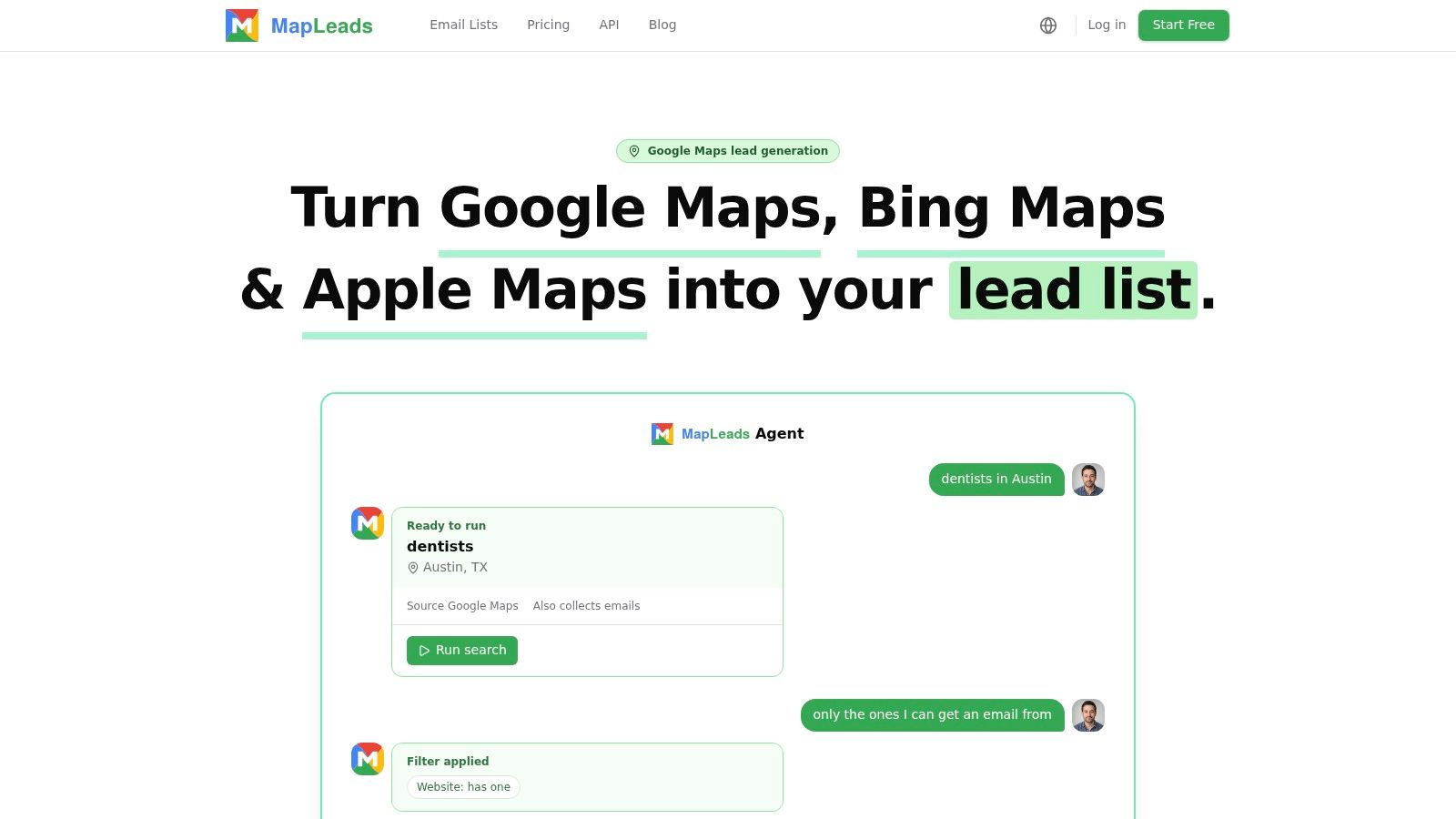
The best extraction workflows also separate pre-export filtering from final output. Remove duplicate business profiles, trim irrelevant categories, and keep only the records that fit the ICP you defined earlier. That saves the sales team from inheriting a list that looks rich but behaves like junk in the CRM.
Use the API only if it fits your operations. The search creation endpoint documentation is relevant when you want repeatable jobs and tighter control over how searches are launched and tracked.
Verification Benchmarks That Protect Deliverability
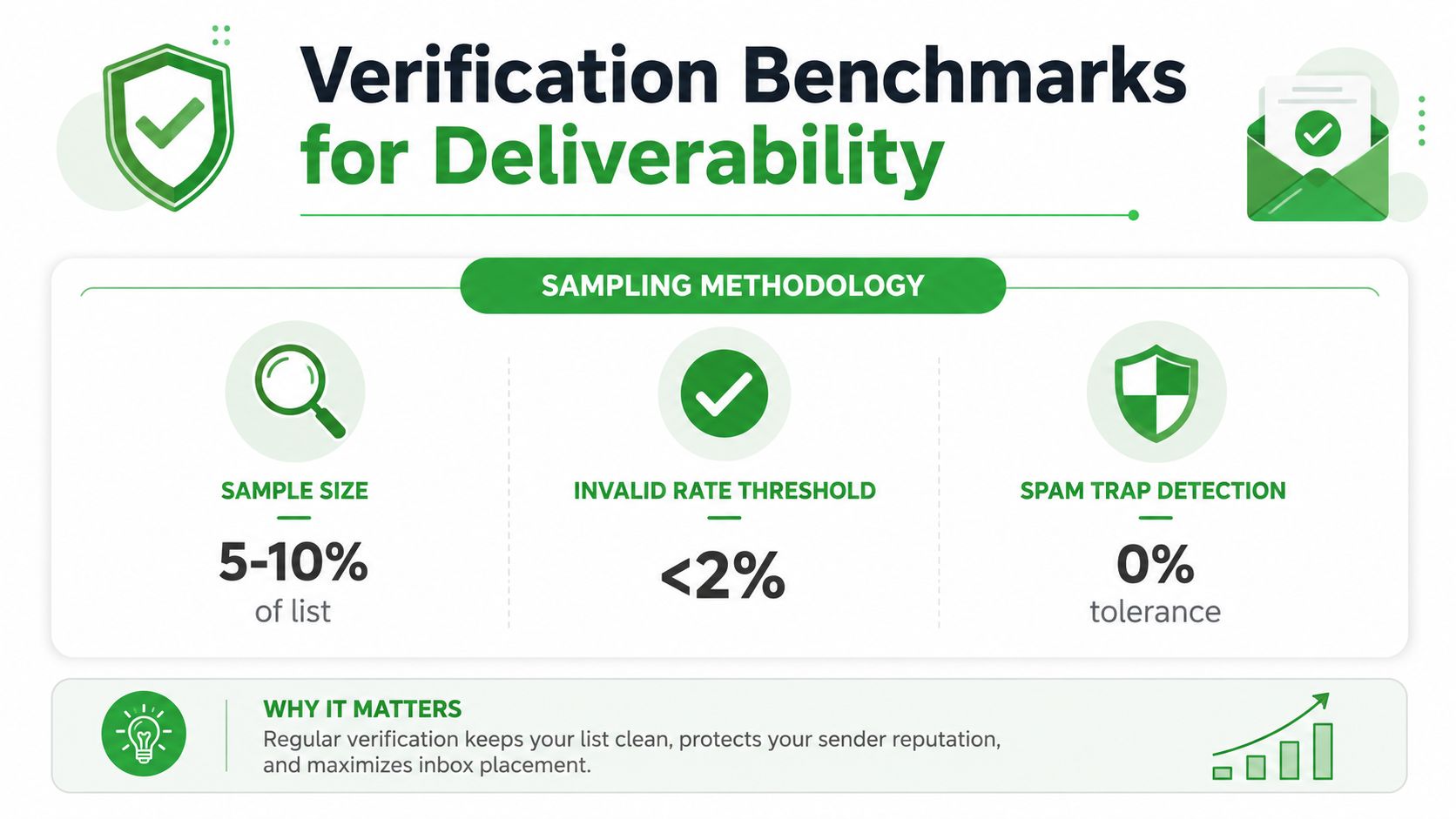
Verification is where lead list building stops being a sourcing exercise and becomes a control point. Pull a small sample that matches the ideal customer profile, verify those contacts separately, and compare the result with what your provider claims. That is how you catch catch-all addresses and risky records that dashboards can overcount as deliverable.
The sample needs to be large enough to reflect the source, but still small enough to audit manually if something looks off. Define the ICP, sample records, verify, load the sample into a short test sequence, then watch bounce rate, reply rate, and meetings booked per 100 contacts worked.
What healthy verification looks like
A clean campaign keeps total bounce below 2%. Anything above 5% means the list is already hurting deliverability, and some providers set tighter operating limits, including below 1% hard bounces on verified contacts and soft bounces below 0.5%. If your data has not been verified against those benchmarks, expect sender reputation problems before the sequence has a chance to work.
That is why independent verification matters. Unverified B2B lists often produce 5% to 15% hard bounces, while cleanup can reduce hard bounces by 60% to 90% on the first campaign after verification accuracy and decay guide. Those swings are big enough to change inbox placement and rep confidence immediately.
What to watch in the test sequence
Do not stop at validation status. Load the verified sample into a short sequence and monitor whether the contacts bounce, reply, or advance to meetings. If the valid rate looks fine but replies are weak, the list may be technically reachable but commercially wrong.
A list can pass email verification and still fail commercially. Reachability is the floor, relevance is what gets meetings.
For teams comparing vendors, the Hunter alternatives guide in MapLeads' ecosystem is a useful reference point because it frames verification as one part of the broader data workflow.
Building a Refresh Cadence Into Your Pipeline
The biggest mistake in lead list building is treating the list as a finished asset. It isn't. B2B contact data decays at a pace that makes refresh cadence a technical control, not a nice-to-have, and common guidance suggests re-checking records every 60 to 90 days (lead list freshness guide).
Why one-time builds go stale
Jobs change, domains migrate, companies reorganize, and enriched records age just like raw records do. That's why a list that looked healthy when it was exported can become materially stale before the next campaign. Freshness has to be tracked alongside reply rate and meeting-booked rate, otherwise the team only sees decay after deliverability has already slipped.
The practical response is simple. Track email bounce rate weekly, segment by freshness, and re-verify on a schedule instead of waiting for a campaign to fail. This also keeps the sales team from assuming that every non-response is a messaging problem when the list itself may be the issue.
What a refresh cadence should control
A good cadence does three things at once. It catches stale contacts before send time, it separates old cohorts from fresh ones, and it gives ops a reason to retire records that no longer deserve sequence time. The smaller, continuously refreshed list usually wins because reps work better data, not because the file is prettier.
If your stack supports event-driven refreshes, webhook-based automation can help keep downstream systems in sync. The webhooks documentation is relevant here because list freshness becomes easier to enforce when updates can flow into your pipeline instead of waiting for manual cleanup.
Practical rule: if a record hasn't been rechecked in a quarter, treat it like a risk until proven otherwise.
The contrarian takeaway is hard to ignore. A large list is often less valuable than a smaller one that's continuously refreshed and revalidated. That's usually the difference between predictable deliverability and a slow burn that rep teams feel before ops sees it.
Compliance and Consent Provenance Across Markets
Most lead list content explains how to collect contacts and then skips the harder question, whether you can prove you were allowed to contact them later. That gap gets expensive fast when you work across jurisdictions or buy enriched data from vendors. Compliance isn't separate from list quality, it's part of it.
Recent B2B guidance emphasizes first-party data, double opt-ins, consent databases, vendor audits, and lawful-basis documentation, and a 2025 FCC-related update says lead sellers must provide the applicable full consent record to the buyer (B2B compliance guidance). That means enrichment alone doesn't solve legal risk. A contact record needs auditable fields like timestamped consent, source, and permitted-use metadata if the team expects to defend the outreach later.
Vendor audits matter because the origin of the record matters. If a supplier can't show how the data was collected and what the contact agreed to, the buyer inherits uncertainty along with the list. Suppression management should sit inside the list workflow, not in a separate legal inbox that nobody checks until a complaint arrives.
The useful mindset shift is this. A compliant list is a more durable list, because the team can use it with confidence across campaigns, markets, and review cycles. That doesn't eliminate legal review, but it does make the data operationally honest.
Export Templates and CRM Import Validation
Export is the last place where a clean list can still get damaged. CSV, Excel, and JSON all work if the columns are stable, but the CRM import only succeeds when the schema matches what the system expects. If the columns shift every time you source data from a new platform, the pipeline becomes brittle.
A solid pre-launch checklist is straightforward. Remove duplicates, map required fields, test import with sample records, and confirm the segmentation fields still behave after upload. If your team uses client acquisition infrastructure tools, this is the stage where schema discipline matters more than fancy reporting, because bad imports create follow-up work that sales never sees but ops always pays for.
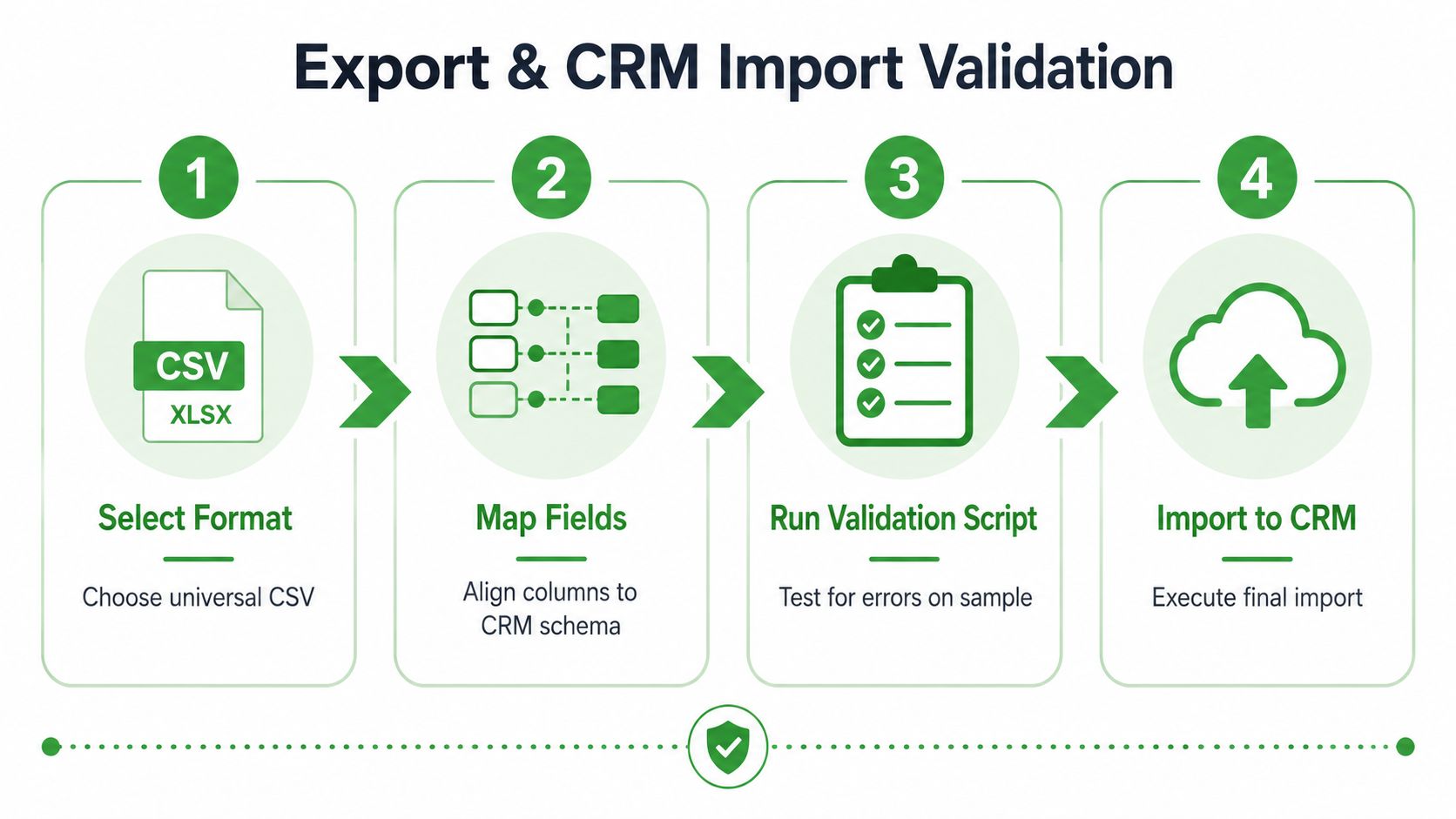
The import sequence that keeps teams sane
- Select the export format. Choose a universal file type, usually CSV, unless your CRM needs something else.
- Map the fields. Align the columns to the CRM schema before a full upload.
- Run a validation pass. Use sample records to catch duplicate keys, missing values, and formatting problems.
- Import the full list. Only do this after the test file lands cleanly.
The reason for the test import is simple. It shows whether your segmentation, personalization, and ownership fields survive the trip into the CRM. If the sample breaks, the full load will only multiply the cleanup.
Keep the template reusable. When the schema stays stable, new sources can be added without retraining the whole team or rewriting the import process every time a search method changes.
MapLeads helps teams turn public business listings from Google Maps, Apple Maps, and Bing Maps into exportable, CRM-ready lead data with enrichment and consistent columns. If you're trying to build fresher lists, verify them before scale, and keep compliance fields visible from the start, visit MapLeads and see how that workflow fits your pipeline.